 0a1eeea424
* fix: replace sh with shell

fix replace terminal with shell

fix replace node with js

fix replace output with shell

fix replace cs with csharp

fix replace c++ with cpp

fix replace c# with csharp

fix replace javasctipt with js

fix replace syntax  with js

fix replace unix with shell

fix replace linux with shell

fix replace java 8 with java

fix replace swift4 with swift

fix replace react.js with jsx

fix replace javascriot with js

fix replace javacsript with js

fix replace c++ -  with cpp

fix: corrected various typos

fix: replace Algorithm with nothing

fix: replace xaml with xml

fix: replace solidity with nothing

fix: replace c++ with cpp

fix: replace txt with shell

fix: replace code with json and css

fix: replace console with shell
2.5 KiB
2.5 KiB
title, localeTitle
| title | localeTitle |
|---|---|
| Installing Go in Ubuntu using a tarball | 使用tarball在Ubuntu中安装Go |
使用tarball在Ubuntu中安装Go
如果您希望从golang网站获得最新的稳定版本,这是安装go的推荐方法。
检查您的系统架构
在继续之前,请确保您知道您的系统是32位还是64位。如果您不知道,请运行以下命令以查找:
$ lscpu | grep Architecture
如果您看到Architecture: x86_64您的系统是64位,否则如果您获得Architecture: i686 ,那么您的系统是32位。既然您已了解系统架构,那就继续吧。
选择正确的tarball
在golang下载页面中 ,您需要获取适用于您系统的正确tarball文件(.tar.gz)的链接。
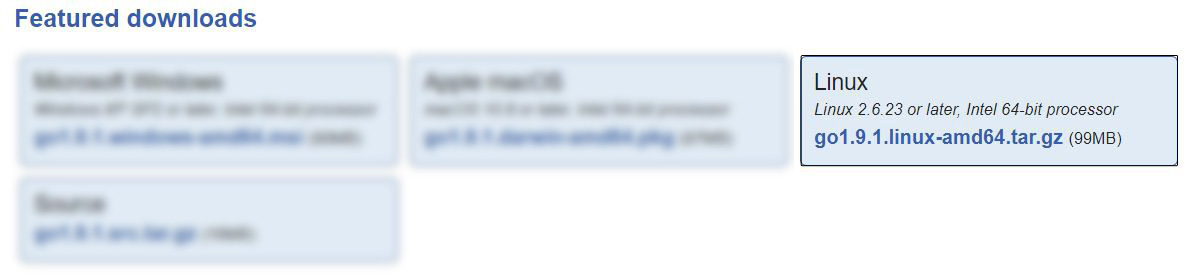
如果您的系统是64位,请将链接复制到具有x86_64体系结构的Linux系统的.tar.gz文件。例如,在撰写本文时,最新的64位系统稳定版本是go1.9.1.linux-amd64.tar.gz
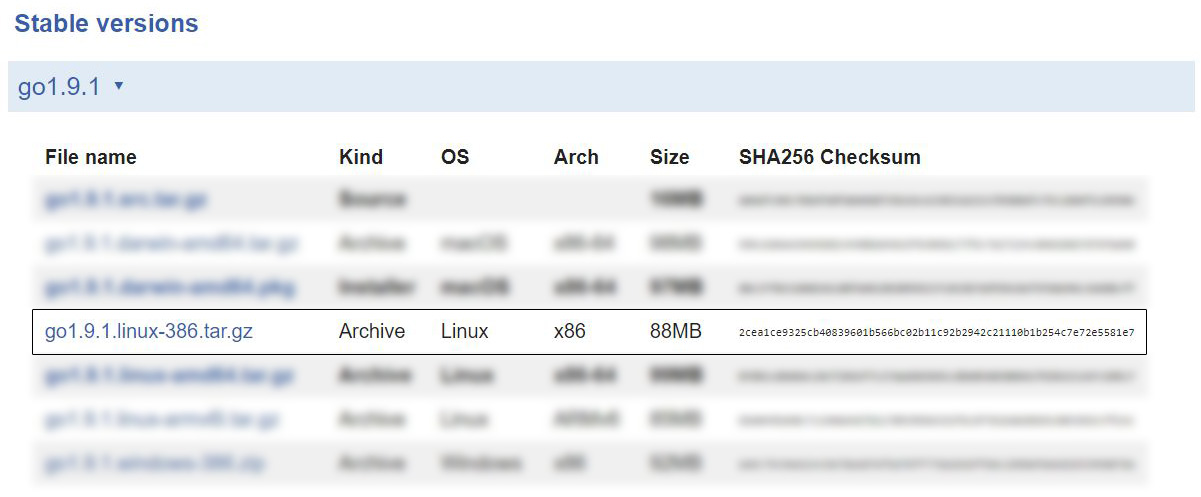
如果您的系统是32位,请将链接复制到带有x86体系结构的Linux系统的.tar.gz文件。在撰写本文时,最新文件是go1.9.1.linux-386.tar.gz
复制链接后,只需将下面的安装过程中的链接替换为您从下载页面获得的链接。
安装过程
在这个安装过程中,我们将使用go 1.9.1 tarball的链接作为示例。对于较新版本或较旧版本,只需在第一步中替换链接即可。查看golang下载页面 ,了解当前可用的版本。
对于64位系统,请转到1.9.1:
$ wget https://storage.googleapis.com/golang/go1.9.1.linux-amd64.tar.gz
 $ sudo tar -C /usr/local -xzf go1.9.1.linux-amd64.tar.gz
 $ export PATH=$PATH:/usr/local/go/bin
对于32位系统,请转到1.9.1:
$ wget https://storage.googleapis.com/golang/go1.9.1.linux-386.tar.gz
 $ sudo tar -C /usr/local -xzf go1.9.1.linux-386.tar.gz
 $ export PATH=$PATH:/usr/local/go/bin
检查go的安装和版本
要检查go是否已成功安装,请使用:
$ go version
 > go version go1.9.1 linux/amd64
这将向控制台打印go的版本,同时确保安装顺利进行。